
Article · Customer Experience
Understanding What Your Customer Needs Improves Your Store
You know your business. But your customers see your store differently. Learn how simple user research helps you improve your store with real customer signals, not guesses.

- Published
- Length
- 5 min read

Listen before you decide
Why should I understand my customers before improving my online store?
Ecommerce user research helps improve an online store with real customer signals, not only internal opinions.
You may be great at reading your business data. You may know your products, inventory, and margins better than anyone. But there is something internal data does not always show: how your customer thinks when they enter your store.
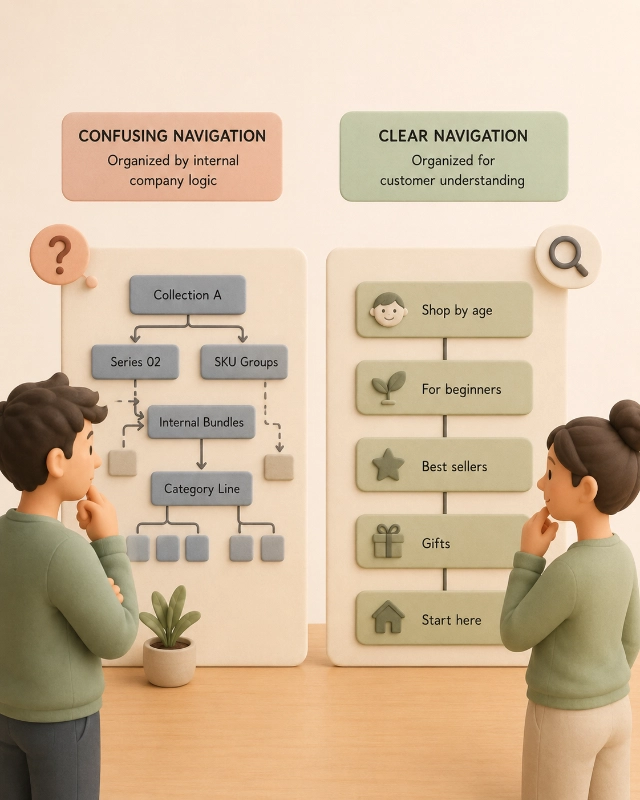
This is where noise appears. When you know your business too well, you start naming things the way your company names them. You organize categories around your inventory. You explain benefits from your own experience. You design paths that feel obvious to you, but not to the customer.
Your customer does not work inside your company. They do not know your internal names, product lines, or commercial priorities. They search from their own context, experience, and level of knowledge. They may search like an expert or like a beginner. But there is a simple rule: if your store is clear for a beginner, it becomes easier for everyone.
Research means listening with a method
What does customer research mean in ecommerce?
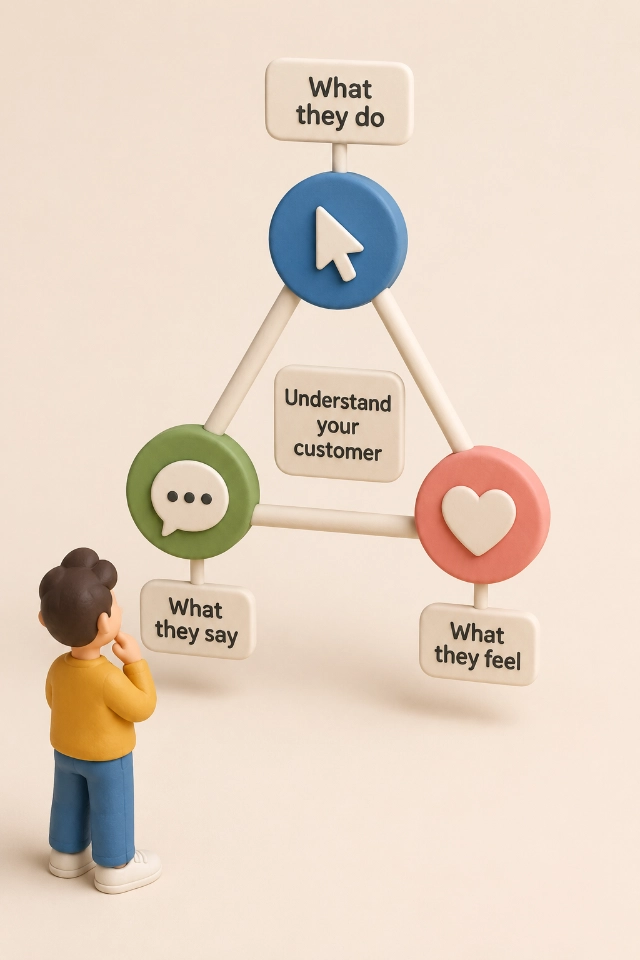
Ecommerce user research helps you understand what customers do, what they say, and what they feel during the shopping journey.
Research is not asking once, “Do you like the store?”. Research means following a plan to answer three simple questions: what customers do, what they say they do, and what they feel while shopping.
Each question needs different signals. What customers do appears in data, recordings, clicks, searches, and behavior. What they say they do appears in interviews, surveys, chats, and comments. What they feel appears in doubts, frustrations, repeated words, complaints, silence, and moments when they abandon the purchase.
The key is not choosing one single method. The key is combining signals to understand the full experience.
Combine numbers with conversations
What data should I use to understand my ecommerce customers?
Quantitative and qualitative ecommerce data help reveal behavior patterns and improvement opportunities.
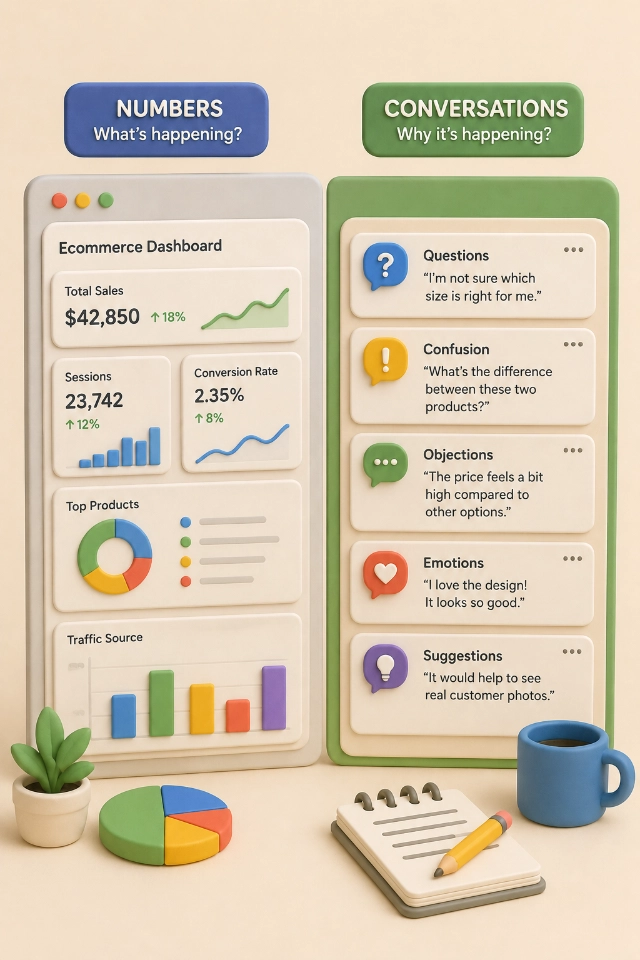
Quantitative data is the numbers. You see it in tools like Shopify, GA4, Search Console, heatmaps, or sales reports. It helps answer questions like: which products people visit, where they drop off, which pages convert better, what they search for, and which channels bring them in.
But numbers do not always explain why something happens. For that, you need qualitative data: chats, emails, reviews, social media comments, survey answers, customer service calls, and interviews. This is where the customer’s real words appear.
A simple tactic: collect customer conversations and ask an LLM to find sentiment, repeated doubts, objections, frequent questions, and insights. Then use those findings to create short surveys on your website. You do not need to ask everyone. You can start with a small sample, even 1% of your visitors, as long as the questions are focused.
Organize around how people shop
How can user research improve ecommerce navigation?
Ecommerce navigation improves when categories match the customer’s buying intent.
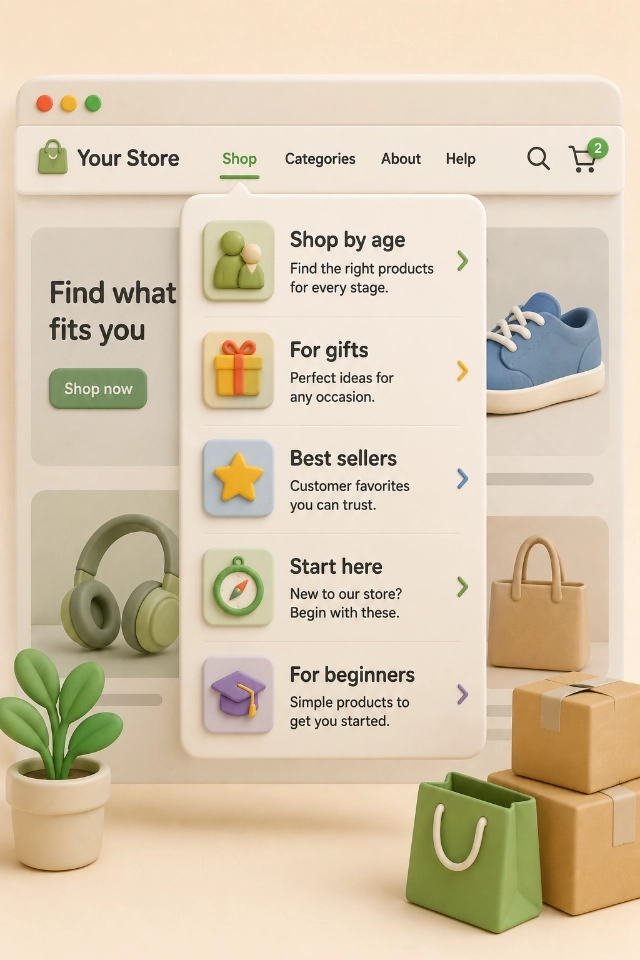
Many stores organize categories around inventory: product A, product B, product C. But customers often think differently. They may search by age, occasion, problem, price, use case, experience level, or type of gift.
Research helps you discover those paths. Then you can create categories, filters, and collections that help customers move faster. It is not just about organizing products. It is about creating routes that make sense to the person buying.
Ask about decisions, not likes
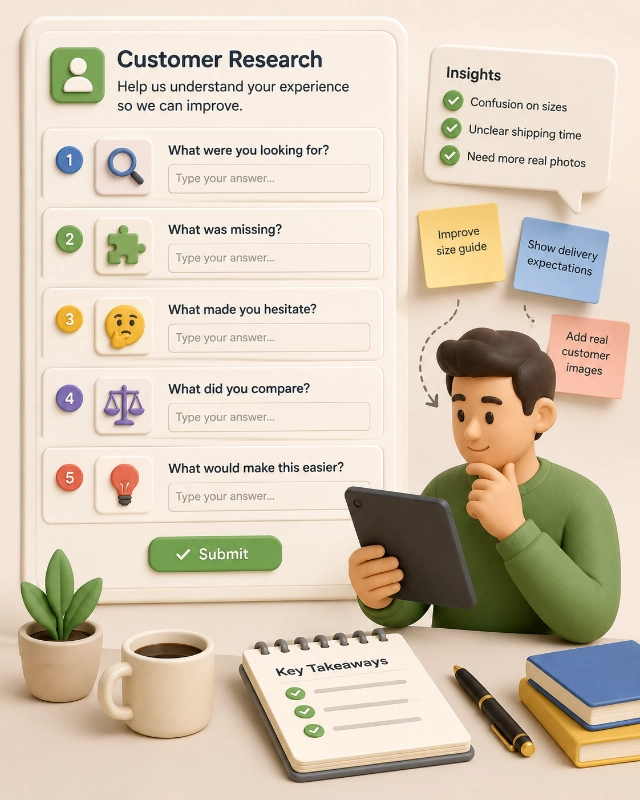
What questions should I ask customers to improve my online store?
Good ecommerce UX research questions reveal friction, motivation, and purchase obstacles.
Avoid vague questions like “Do you like the store?”. That answer does not tell you what to fix. Ask questions that help you understand real decisions.
You can ask: “What were you looking for?”, “What information was missing?”, “What made you hesitate?”, “Which product did you compare?”, “What would have made your decision easier?”. These answers can become concrete improvements.
Turn signals into patterns
How should I organize what I learn about my customers?
User-centered design uses simple maps to find ecommerce improvement opportunities.
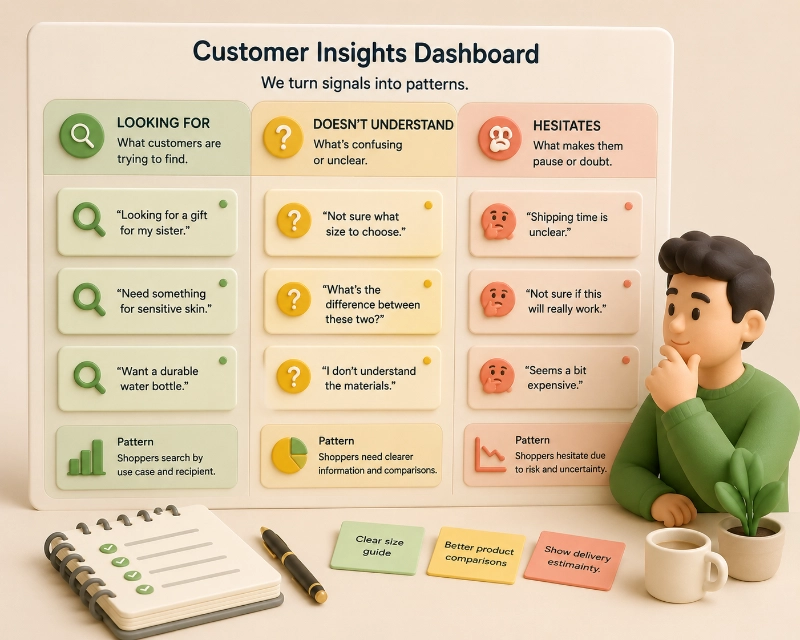
After listening and observing, do not leave the information scattered. Group it. You can create a simple table with three columns: what the customer is looking for, what they do not understand, and what makes them hesitate.
You can also use customer profiles, empathy maps, or journey maps. They do not need to become huge documents. Their job is simple: help you see patterns and make better decisions.
Test small before you build big
How can I test ecommerce improvements before redesigning the whole store?
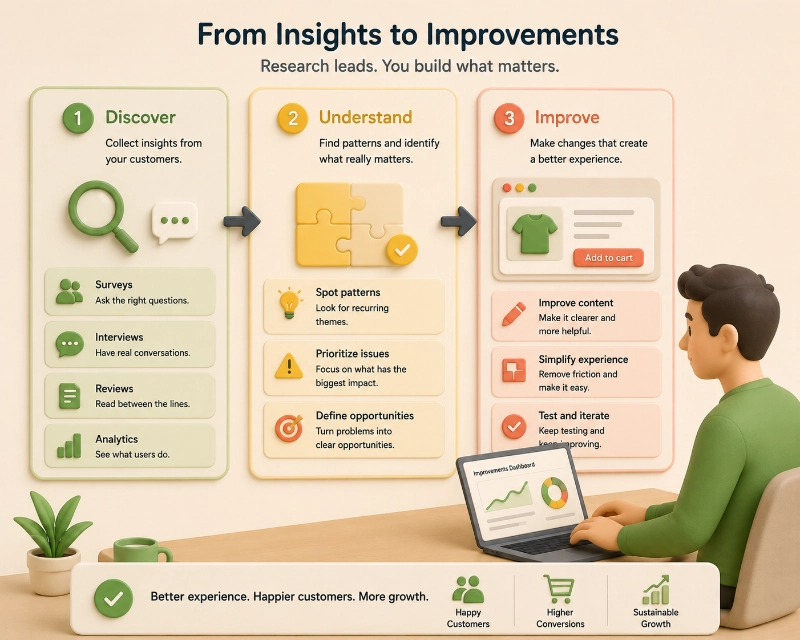
Lean UX helps validate ecommerce improvements with simple prototypes before investing in development.
When you find a problem, do not rush into redesigning the whole store. First, create a simple hypothesis: “If we organize products by age, customers will find what they need faster.”
Then test that idea with something small: a sketch, a new section, a simple landing page, or a test with a few users. It is cheaper to correct an idea early than to fix a full redesign later.
Before improving your store, do not start with design. Start with the customer.
Remember this idea: Data shows what your customers do. Research helps you understand what it means.
Listen first. Organize after. Test before you build.
FAQ questions
What is user research in ecommerce?
It is the process of understanding how customers shop, what they search for, what they doubt, what they feel, and what stops them from moving forward in your online store.
Why shouldn’t I improve my store only with internal opinions?
Because your team knows the business too well. The customer does not. What feels clear internally may be confusing for someone visiting for the first time.
What is the difference between quantitative and qualitative data?
Quantitative data is numbers: visits, clicks, conversions, drop-offs, and sales. Qualitative data is words, emotions, doubts, comments, reviews, chats, and interviews.
How does research improve ecommerce navigation?
It shows how customers think: by age, occasion, use case, problem, price, experience level, or need. That helps you create better categories and paths.
Should I test before redesigning the whole store?
Yes. Start with small changes, prototypes, or quick tests with a few users. This reduces risk before investing in development.

About the author
César Paternina
César Paternina is the founder of Infinite Stair and an ecommerce growth strategist with nearly two decades of experience across UX, digital commerce, omnichannel retail, and growth. He helps businesses understand what is limiting sales, improve customer journeys, and turn research and experimentation into better decisions and repeatable capabilities.
More from César Paternina