
Article · SEO and Content Marketing: Search Engine Optimization Strategies
ChatGPT Launched Business Hub. Claim Your Business Now.
Claim your business in ChatGPT Business Hub. Here’s what to prepare for verification, how to connect your catalog, and what to look for in Insights.

- Published
- Length
- 2 min read
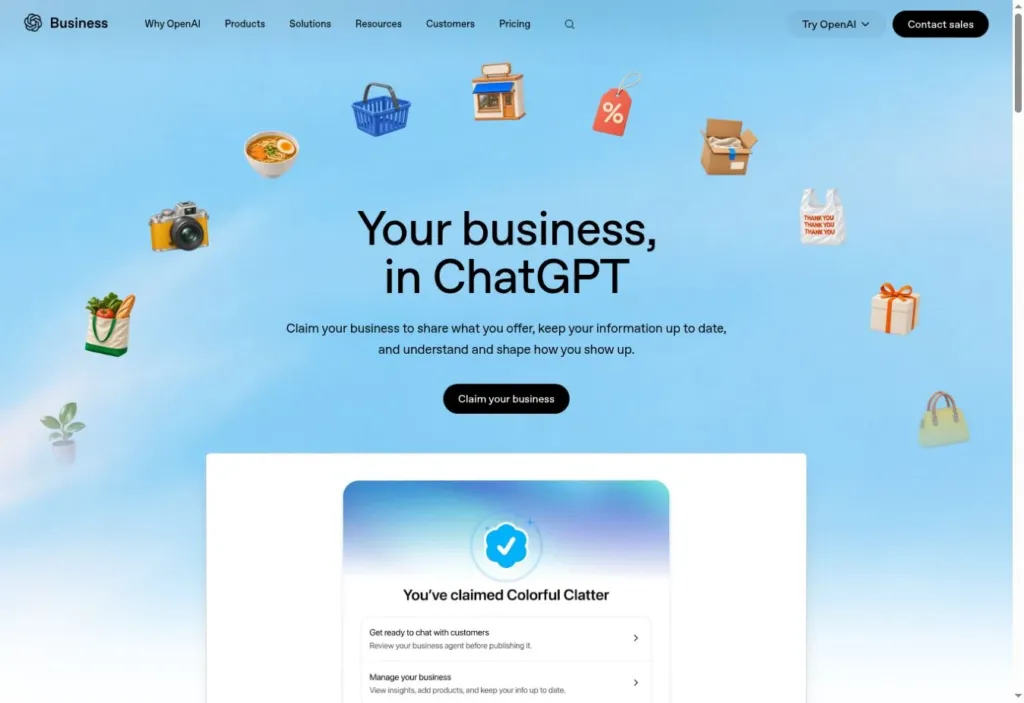
If you run an online store, look up your business in ChatGPT Business Hub today. Once you’re verified, you can update the information ChatGPT may use to answer questions about your store, share your product catalog, and see how often people click through to your site. Start now so you have time to get verified and check that ChatGPT received the right prices, inventory, and product links.
What to have ready before you claim your business
- Your business details. Have your store name, website, and legal business name handy. Use the legal name exactly as it appears on your registration.
- Access to your domain’s DNS settings. If you verify through your website, you’ll need to add the TXT record ChatGPT gives you. If your agency or IT team manages DNS, find out who can add it before you start.
- An authorized representative. Business Hub first verifies your connection to the business. Persona verifies your identity separately and may ask for a government-issued ID, business registration details, or proof that you can represent the company. The panel shows which options are available for your business, such as email, phone, domain, or Shopify.
Connect your catalog and check what came through
Update your website, business description, and shipping and return policies. If you sell through Shopify, you can connect your existing catalog. You can also upload a compatible CSV or link to a hosted product feed. Once it’s processed, spot-check a few items. Does the link open the right size or color? Does the price match your store? Is that variant actually in stock? ChatGPT still makes its own recommendations based on what the shopper asks.
Use Insights to decide what to fix next
Business Hub shows mentions, website clicks, and discovery topics over the past 28 days. For an online business, a mention counts when ChatGPT references your website. If wide-fit shoes keep coming up as a discovery topic, check whether shoppers can find the available widths and tell which models come in wide. That’s a concrete improvement you can make to both your product pages and your catalog.
If you’re eligible to publish a Business Agent, test it with a question your support team already gets, like “Can I return shoes I bought on sale?” Compare its answer with your actual policy before you publish it.
Start by claiming your profile. While verification is underway, check that your business details, product listings, and policies are ready to share.
References
OpenAI. (n.d.-a). Businesses in ChatGPT: Claim your business. https://openai.com/business/businesses-in-chatgpt/
OpenAI. (n.d.-b). Setting up your business on ChatGPT. OpenAI Help Center. https://help.openai.com/en/articles/20001635-setting-up-your-business-on-chatgpt
OpenAI. (n.d.-c). Submit product feeds. OpenAI Developers. https://developers.openai.com/commerce/guides/submit-product-feeds
OpenAI. (2026, November 10). Introducing businesses in ChatGPT. https://openai.com/index/introducing-businesses-chatgpt/
Get Your Store Ready for ChatGPT Business Hub
Need a hand connecting your catalog or checking which products ChatGPT receives? Tell us what platform you use and where you’re getting stuck. Infinite Stair can help you get your product data and feeds ready.

About the author
César Paternina
César Paternina is the founder of Infinite Stair and an ecommerce growth strategist with nearly two decades of experience across UX, digital commerce, omnichannel retail, and growth. He helps businesses understand what is limiting sales, improve customer journeys, and turn research and experimentation into better decisions and repeatable capabilities.
More from César Paternina